
Step-by-Step AdSense Approval Guide 2026
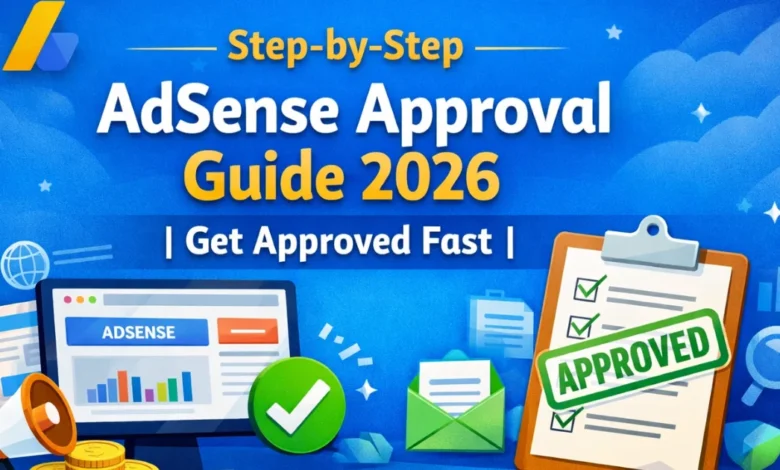
Getting your website approved by Google AdSense can feel overwhelming, especially with the 2026 updates to Google’s policies. But don’t worry—this guide will take you step by step, ensuring your website meets all requirements and maximizes your chances of approval.
What is Google AdSense? <a name=”what-is-google-adsense”></a>
Google AdSense is a program that allows website owners to earn money by displaying ads from Google. Once approved, AdSense automatically matches ads to your content, generating revenue whenever users view or click them.
Having an AdSense account legitimizes your website and opens doors for monetization, but Google has strict policies to maintain high-quality ad placement.
Eligibility Requirements for 2026 <a name=”eligibility-requirements”></a>
Before you apply, ensure your website meets Google’s 2026 criteria:
- Your website must have unique and original content.
- It should be fully functional, with no broken links or incomplete pages.
- Your site must comply with Google AdSense policies, including no adult content, pirated material, or copyright violations.
- You should be 18 years or older.
- Your site needs clear navigation and fast loading speed.
Step 1: Build a High-Quality Website <a name=”step-1-build-a-high-quality-website”></a>
A strong foundation is key. Focus on:
- Niche Selection: Choose a topic you’re passionate about and that has search demand. Example niches: tech, finance tips, health, DIY tutorials.
- Original Content: Avoid copying from other sites. Google values unique content.
- Regular Updates: Post at least 3–5 high-quality articles before applying.
Pro Tip: Write articles with a natural human touch—avoid stuffing keywords.
Step 2: Create Essential Pages <a name=”step-2-create-essential-pages”></a>
Google looks for trust signals. Make sure your website has:
- About Us Page: Introduce yourself and your mission.
- Contact Us Page: Include email, WhatsApp, or a form.
- Privacy Policy Page: Inform users about data collection (mandatory for AdSense).
- Terms & Conditions (Optional but Recommended): Adds professionalism.
These pages increase your credibility and trustworthiness in Google’s eyes.
Step 3: Optimize Content for Users <a name=”step-3-optimize-content-for-users”></a>
SEO-friendly content helps Google understand your site. Focus on:
- Long-Tail Keywords: Example: “AdSense approval tips for beginners 2026”
- Readable Layout: Use headings, bullet points, and short paragraphs.
- Internal Linking: Connect related articles to improve user experience.
- Multimedia: Add images, infographics, or videos to engage visitors.
Step 4: Website Design & User Experience <a name=”step-4-website-design-user-experience”></a>
A clean and fast-loading website improves your chances:
- Use mobile-friendly responsive design.
- Remove pop-ups and intrusive ads before AdSense approval.
- Keep navigation simple, with categories and menus easy to find.
- Optimize site speed using caching, compression, and lightweight themes.
Step 5: Traffic & Domain Considerations <a name=”step-5-traffic-domain-considerations”></a>
While AdSense doesn’t require huge traffic, organic traffic helps:
- Start with at least 10–15 well-written articles.
- Use a custom domain (e.g., yourwebsite.com). Google prefers domains over subdomains.
- Avoid free hosting platforms if possible—they may reduce credibility.
Step 6: Submit Your AdSense Application <a name=”step-6-submit-your-adsense-application”></a>
- Go to Google AdSense.
- Click Sign Up and fill in your website and personal information.
- Add the AdSense code to your website for verification.
- Wait for the review process, which usually takes 1–2 weeks.
Google will check your content quality, website functionality, and compliance.
Step 7: After Submission – Tips & Common Mistakes <a name=”step-7-after-submission”></a>
- Don’t panic if rejected. Google gives reasons; fix issues and reapply.
- Avoid thin content, excessive ads, or copied material.
- Keep your site active and updated.
- Use analytics to track visitor behavior and improve content.
Pro Tip: Patience is key. Some approvals take longer if your site is new.
Frequently Asked Questions <a name=”faq”></a>
Q1: How many articles do I need before applying?
A: At least 10–15 high-quality, original articles of 800–1500 words each.
Q2: Can I use a free domain?
A: Free domains are allowed, but Google prefers custom domains.
Q3: How long does AdSense approval take in 2026?
A: Usually 1–2 weeks, but new sites may take longer.
Q4: Is traffic required?
A: No minimum traffic, but having some visitors improves approval chances.
Conclusion
Getting AdSense approval in 2026 is all about quality, trust, and user experience. Focus on original content, essential pages, clean design, and compliance with Google policies. By following this step-by-step guide, you’ll increase your chances of approval and start monetizing your website successfully.
✅ Next Step: Once approved, you can optimize ad placement and content strategy to boost revenue.