
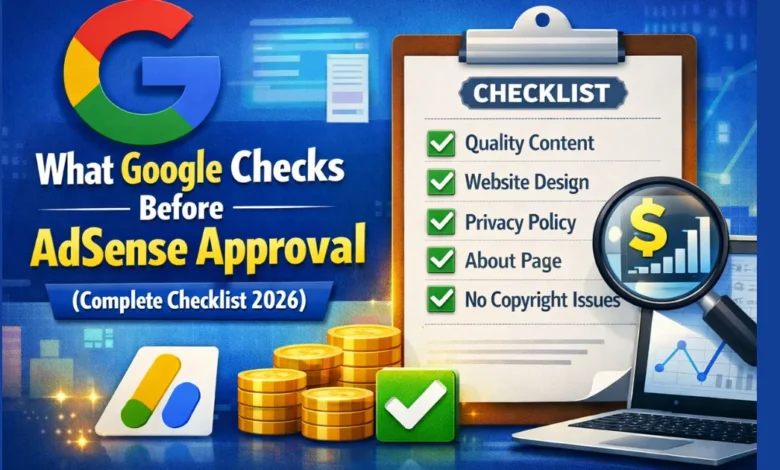
Getting Google AdSense approval is one of the biggest milestones for any website owner. But many beginners apply without knowing what Google actually checks before approving an AdSense account, which leads to rejection.
In this guide, you’ll learn exactly what Google checks before AdSense approval, why applications get rejected, and how to fix issues before applying — so you can improve your approval chances on the first attempt.
1. Original & High-Quality Content (Most Important)
Google’s top priority is content quality.
Before AdSense approval, Google checks whether:
- Content is original, not copied or spun
- Articles provide real value to users
- Content is written for humans, not bots
- Pages are well-structured and readable
Best practices:
- Write at least 800–1,200 words per article
- Avoid AI-generated content without human editing
- Add examples, explanations, and clear headings
- No plagiarism (even partial copying can cause rejection)
👉 Low-value or thin content is the #1 reason for AdSense rejection.
2. Website Navigation & User Experience
Google checks how easy it is for users to navigate your website.
They review:
- Clear menu and categories
- Working internal links
- Mobile responsiveness
- Fast page loading speed
- Clean layout (no clutter or pop-ups)
What Google expects:
- A professional design
- Logical structure
- Visitors can find content easily
If your site looks unfinished or confusing, approval becomes difficult.
3. Mandatory Pages (Privacy Policy Is Required)
Google strictly checks for policy-related pages.
Your website must have:
- ✅ Privacy Policy (mandatory)
- ✅ About Us
- ✅ Contact Us
Privacy Policy must mention:
- Google AdSense
- Cookies
- Third-party advertising
Missing these pages almost guarantees rejection.
4. AdSense Policy Compliance
Google checks if your content follows AdSense program policies.
Avoid content related to:
- Adult or sexual material
- Gambling or betting (without proper compliance)
- Drugs, alcohol abuse
- Copyright violations (movies, songs, cracked software)
- Hate, violence, or misleading content
Even one policy-violating page can reject your entire site.
5. Website Age & Content Volume
Google doesn’t officially require a minimum age, but in practice they check:
- Website looks established, not brand new
- Multiple indexed pages exist
- Content is regularly published
Recommended before applying:
- Website age: 15–30 days
- Total posts: 15–30 quality articles
A brand-new site with 3–4 posts usually gets rejected.
6. Traffic Quality (Not Quantity)
Google does not require high traffic, but they do check traffic sources.
They look for:
- Organic traffic from Google
- Real users, not bots
- No paid, fake, or spam traffic
Even 0–50 daily visitors is fine if traffic is organic and natural.
7. Domain Ownership & Technical Setup
Google checks technical trust signals, including:
- Custom domain (not free subdomains)
- Proper SSL (HTTPS enabled)
- Website is publicly accessible
- No “coming soon” or under-construction pages
Free platforms or incomplete setups reduce trust.
8. Content Niche & Topic Clarity
Google prefers websites with a clear niche.
They check:
- Is the site focused on one main topic?
- Does content match the site’s purpose?
- Is the niche advertiser-friendly?
Examples of good niches:
- Blogging & SEO
- Technology
- Education
- Finance (with compliance)
- Health (informational, not medical advice)
Random, mixed topics can hurt approval chances.
9. Indexing & Search Console Signals
Before approval, Google may also check:
- Pages indexed in Google
- No major Search Console errors
- No manual actions or penalties
Submitting your sitemap and indexing pages improves credibility.
Common Reasons AdSense Applications Get Rejected
- Low-value or AI-generated content
- Copied or rewritten articles
- Missing Privacy Policy page
- Thin content (short posts)
- Poor website design
- Policy-violating topics
How to Improve AdSense Approval Chances
✔ Publish helpful, original content
✔ Add all required pages
✔ Focus on one niche
✔ Improve website speed and design
✔ Avoid shortcuts and fake traffic
Final Thoughts
Understanding what Google checks before AdSense approval can save you months of frustration. Google doesn’t want perfect websites — they want useful, trustworthy, and policy-compliant sites.
If you focus on quality content, user experience, and transparency, AdSense approval becomes much easier.
FAQs
Q: Does Google check traffic before AdSense approval?
No minimum traffic is required, but traffic must be real and organic.
Q: Can a new website get AdSense approval?
Yes, if it has quality content, required pages, and policy compliance.
Q: How long does AdSense approval take?
Usually 1–14 days, but it can take longer in some cases.